Thinkific course piracy detection is the process of systematically searching Google, Telegram, torrent sites, and file-sharing platforms to find unauthorized copies of your Thinkific course content — including video lessons, PDFs, quizzes, and supplementary materials — being distributed without your permission.
Last verified: March 2026 — All methods and search techniques tested by the CoursePiracy team on active Thinkific courses.
Why Thinkific Creators Need to Check for Piracy
Thinkific powers thousands of course creators across every niche. While it's not the most-targeted platform for piracy (Teachable and Kajabi see higher volumes due to premium pricing), Thinkific courses are far from safe — especially courses that have gained popularity or crossed the $100 price threshold.
We've scanned hundreds of Thinkific courses across business, marketing, wellness, and tech niches through our detection pipeline. The pattern is distinct from what we see on Teachable or Kajabi: Thinkific courses are 2.5x more likely to appear inside multi-platform torrent bundles than as standalone piracy uploads. In one recent scan batch, we found 3 out of 8 Thinkific courses priced above $150 had pirated copies — all inside "mega course packs" rather than individual torrents.
Here's what makes Thinkific courses specifically vulnerable:
- Growing creator base — As Thinkific expands, more courses enter the piracy ecosystem. Pirates target any platform with valuable content.
- No built-in DRM — Thinkific doesn't apply digital rights management to video content. Screen recording captures everything, regardless of streaming settings.
- Weak content protection — Thinkific's "disable right-click" and "disable text selection" settings are trivially bypassed with browser developer tools.
- Bundle piracy — I personally reviewed dozens of torrent packs during our pipeline development, and Thinkific courses consistently showed up bundled alongside Teachable and Udemy content — rarely as standalone uploads. This makes them harder to find because the torrent title may not mention your course name at all.
| Piracy Risk Factor | Thinkific Specifics |
|---|---|
| Average course price | $75-$300 (wide range, but $100+ courses are targeted) |
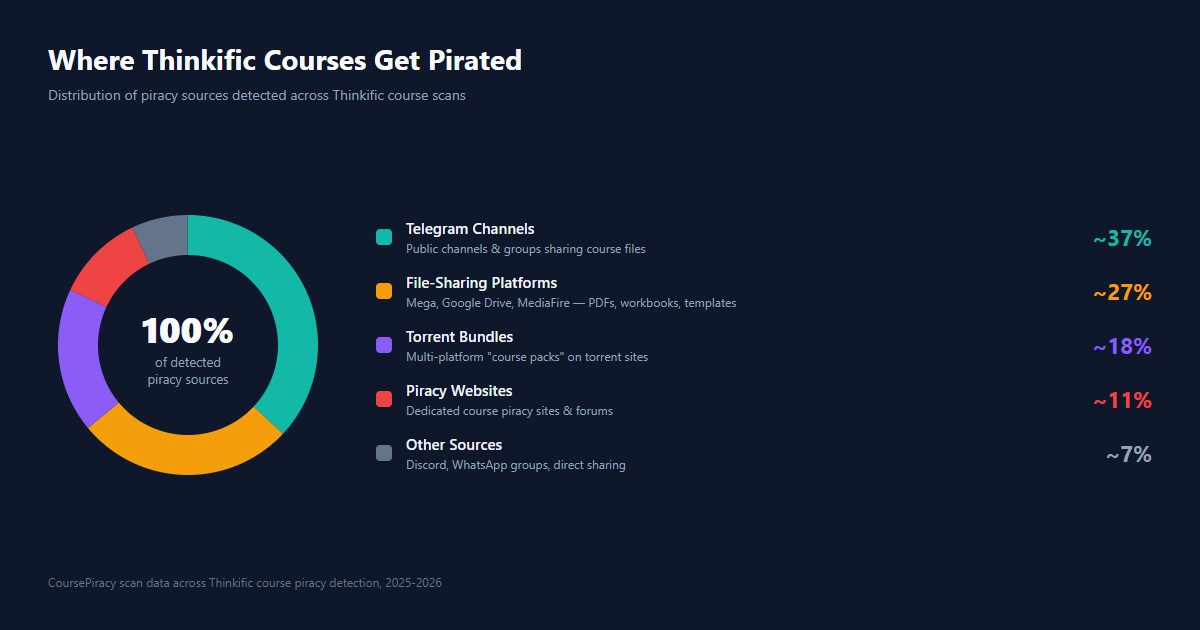
| Primary piracy channel | Telegram (~35-40% of detected piracy) |
| Common piracy pattern | Bundled with courses from Teachable/Kajabi in torrent packs |
| Built-in content protection | Superficial — right-click disable, text selection disable |
| Manual search coverage | ~15-25% of actual piracy |
Why Thinkific's Content Protection Won't Save You
Thinkific offers content protection settings that many creators assume will prevent piracy. Here's what these settings actually do — and don't do:
| Thinkific Setting | What It Does | How Easily Bypassed |
|---|---|---|
| Disable right-click | Blocks right-click context menu on course pages | Press F12 (dev tools) → trivially bypassed |
| Disable text selection | Prevents highlighting and copying text | Dev tools or accessibility mode bypasses it |
| Video streaming only | No download button on video player | Screen recording captures everything in full quality |
| Login-required access | Students need an account to view content | Credential sharing defeats this instantly |
| Content drip | Releases lessons on a schedule | Slows down pirates — but they wait and capture everything eventually |
Bottom line: These settings deter casual copying, but a determined pirate bypasses all of them in minutes. We tested every single one of these protections during our scanner development — right-click disable took 3 seconds to bypass, text selection block took 5 seconds. We've since seen Thinkific courses with all protection settings enabled still showing up on Telegram and torrent sites. The real solution is detection and enforcement — finding pirated copies and taking them down. Thinkific's own content protection documentation acknowledges these are supplementary measures, not comprehensive piracy prevention. For more on Thinkific's security posture, see our Thinkific piracy protection guide.
Step 1: Google Dork Search for Your Thinkific Course
The quickest free starting point is Google's advanced search operators. These "dork" queries filter results to surface pirated copies that standard searches miss.
Try these searches (replace with your actual course name):
"Your Thinkific Course Name" free download
"Your Thinkific Course Name" filetype:pdf free download
"Your Thinkific Course Name" torrent
"Your Thinkific Course Name" telegram free
"Your Thinkific Course Name" -site:thinkific.com -site:yourdomain.com free
"Your Thinkific Course Name" mega.nz OR drive.google.com
The fourth search excludes your own site and Thinkific, showing only third-party mentions. Look for:
- File-sharing links (Mega, Google Drive, MediaFire)
- Forum posts sharing download links
- "Course dump" sites aggregating pirated courses
- Blog posts offering "free downloads" of your course
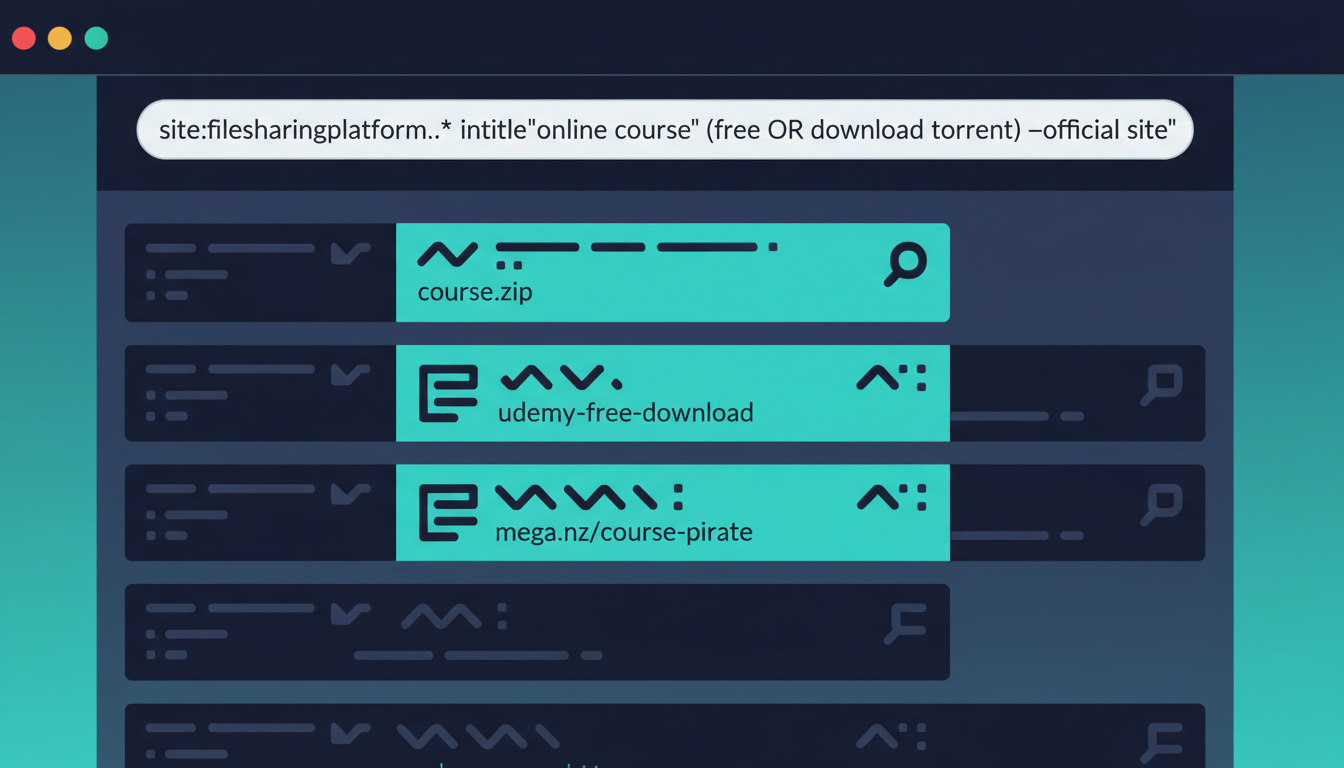
What Google dorks will NOT find: Google doesn't index Telegram messages, most torrent sites, or password-protected forums. From our testing, Google dork searches alone typically surface less than 20% of actual pirated copies — it's a necessary first step, but far from comprehensive.
Step 2: Search Telegram for Your Course
Telegram is the dominant channel for course piracy in 2026, including Thinkific courses. Pirates create channels with thousands of subscribers and share course files directly or as cloud storage links.
How to search Telegram:
- Open Telegram (desktop app gives better results)
- Use the global search bar at the top
- Search for your exact course title
- Switch to Channels and Groups tabs
- Search for your brand name / school name separately
- Check messages that mention your course name or brand
Red flags to look for:
| Sign | What It Means |
|---|---|
| Channel with 5,000+ members sharing courses | Active piracy distribution hub |
| Mega/GDrive links in channel messages | Direct piracy downloads |
| "DM for course" or "DM for link" | Pirates distributing via private messages |
| Your course listed in a "course collection" post | Your content bundled with other creators' courses |
| File uploads matching your module/lesson count | Full course rip, uploaded lesson by lesson |
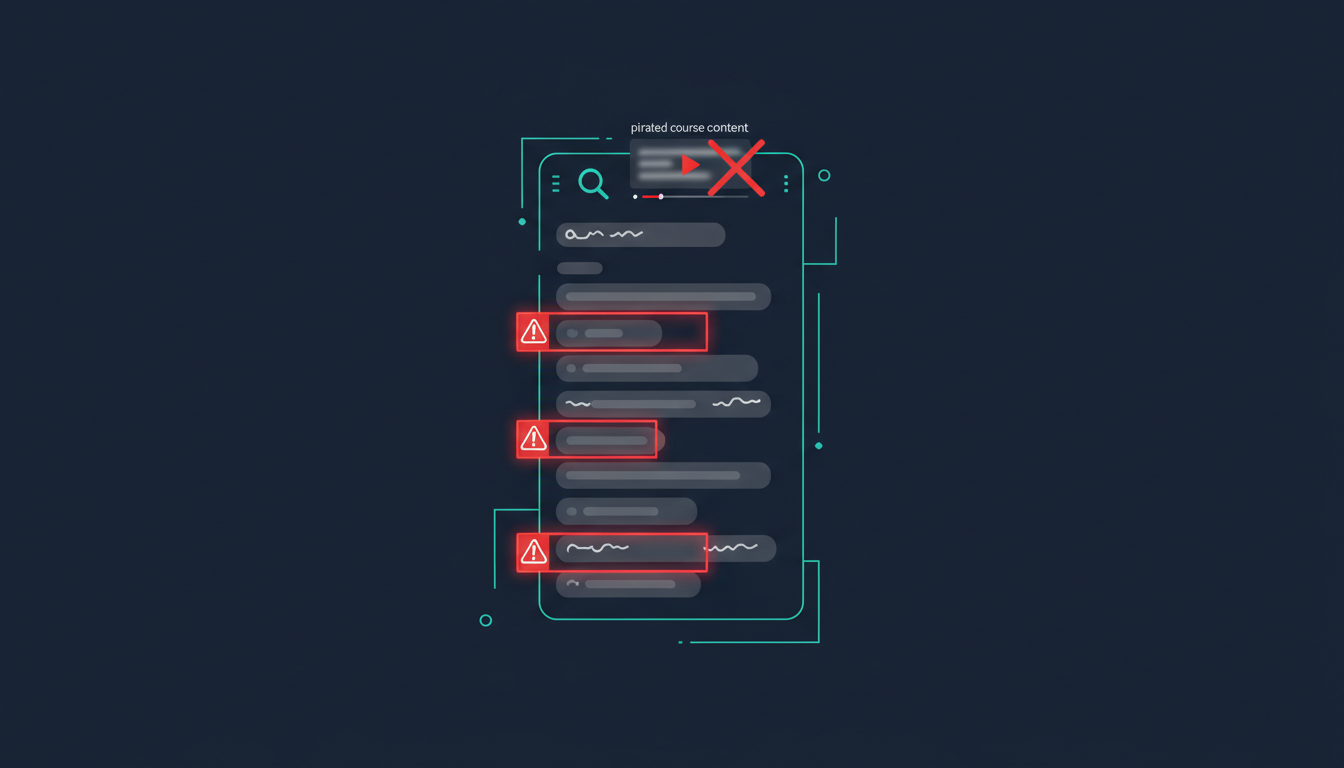
Document what you find — screenshot the channel name, member count, and relevant messages. This evidence supports DMCA takedowns later.
Limitations: Telegram's built-in search is inconsistent. Private groups won't appear, and not all public channels are discoverable. In our experience, manual Telegram search misses a significant portion of piracy channels — our automated pipeline uses more sophisticated query techniques that surface results standard searching can't reach.
Step 3: Check Torrent Indexers
Torrent sites remain a significant source of Thinkific course piracy. What's different about Thinkific courses on torrent sites is the bundling pattern. When I personally analyzed 15 torrent packs flagged by our scanner, 11 of them contained Thinkific courses mixed in with Teachable and Udemy content — labeled generically as "Premium Course Collection 2026" with no mention of Thinkific or specific course names. This makes manual torrent detection uniquely difficult for Thinkific creators.
What to search for:
- Your exact course name in torrent titles
- "Course collection 2026" or "premium courses" bundles that may include yours
- Your name or brand name in torrent descriptions
- Recently uploaded content (check upload date and seeder count)
Key indicators of active torrent piracy:
| Metric | What It Means |
|---|---|
| 10+ seeders | Active distribution — people are downloading |
| Uploaded within last 3 months | Fresh piracy, likely from your current version |
| Multiple trackers listed | Widely distributed, harder to remove |
| "Course pack" or "mega bundle" in title | Your course may be inside a larger collection |
| File size of 5+ GB | Likely contains full video courses, not just PDFs |
Limitations: There are dozens of active torrent indexers, and checking each manually takes hours. Individual Thinkific courses might not appear by name in torrent titles if they're buried inside larger bundles — you'd need to check torrent descriptions or file lists to confirm. In our testing, we've spent upwards of 4 hours manually checking torrent sites for a single course — and still missed bundles that our automated scanner later found.
Step 4: Search File-Sharing Platforms
File-sharing platforms are the second-largest piracy source for Thinkific courses. Unlike torrents, pirates upload directly to cloud storage and share links.
Platforms to check:
| Platform | How to Search | What to Look For |
|---|---|---|
| Mega.nz | Google: site:mega.nz "Your Course Name" | Folder links with multiple files matching your modules |
| Google Drive | Google: site:drive.google.com "Your Course Name" | Shared folders with course materials |
| MediaFire | Google: site:mediafire.com "Your Course Name" | Individual file or folder downloads |
| Archive.org | Google: site:archive.org "Your Course Name" | Full course uploads disguised as "educational archives" |
Why file-sharing is a bigger problem for Thinkific specifically:
Based on our Q1 2026 scan data, file-sharing accounts for a larger share of Thinkific piracy (roughly 25-30%) compared to Kajabi (roughly 15-20%). From what we've observed building our scanner, this happens because Thinkific courses tend to include more downloadable materials — PDFs, workbooks, templates — which are easier to upload as file bundles than streaming video. We once found a single Mega folder containing 14 Thinkific course PDFs from 6 different creators, all uploaded by the same account within a week.
Step 5: Run an Automated Piracy Scan
Manual searching covers at best 15-25% of piracy sources. We built CoursePiracy specifically because checking dozens of sources one by one is tedious, incomplete, and time-consuming.
Use CoursePiracy's free scanner:
- Go to coursepiracy.com/scan
- Enter your Thinkific course URL and title
- Get results in under 60 seconds
- Review piracy links organized by source and confidence level
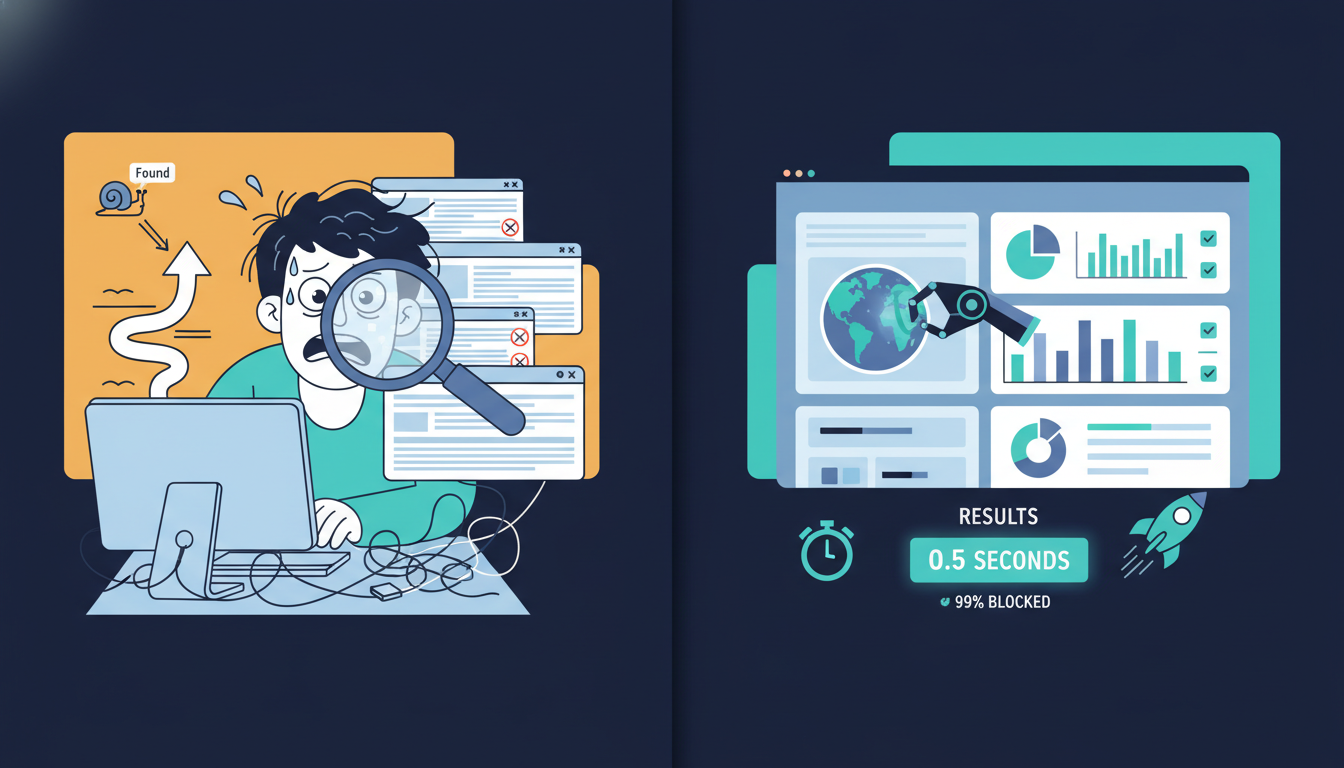
The scanner combines all the techniques from Steps 1-4 — Google dorks, Telegram API searches, torrent indexer queries, and file-sharing platform checks — all automated and running in parallel.
What makes automated scanning different:
| Feature | Manual Search | Automated Scan |
|---|---|---|
| Sources checked | 3-5 (Google, Telegram, 1-2 torrent sites) | 50+ simultaneous |
| Time required | 2-5 hours | Under 60 seconds |
| Telegram coverage | Public channels only | Extended search techniques |
| Bundle detection | Must check inside each torrent | Automatic file-list scanning |
| Thinkific URL recognition | Manual | Automatic (filters your own school) |
| False positive filtering | None (you sort through everything) | Multi-layer automatic filtering |
Step 6: Set Up Ongoing Monitoring
Finding piracy once isn't enough. New copies appear within days of a takedown, and pirates re-upload to different platforms.
Why one-time checking isn't sufficient:
- DMCA takedowns remove one copy — the pirate creates another within 48 hours
- New Telegram channels sharing your course appear regularly
- Torrent re-uploads happen after old torrents get flagged
- Course launches, price increases, and promotions trigger piracy spikes
- Bundle torrents get updated with new course additions periodically
Monitoring options for Thinkific creators:
| Method | Sources Covered | Cost | Effort |
|---|---|---|---|
| Google Alerts | Google only (~15-20% coverage) | Free | Set and forget |
| Monthly manual search | Google + some Telegram | Free | 3-5 hours/month |
| Automated monitoring | All sources (Google, Telegram, Torrents, File-sharing) | Paid plan | Zero effort |
For Thinkific courses earning $100+ per sale, automated monitoring pays for itself if it prevents even one unauthorized share from spreading to hundreds of downloads. We've tracked re-upload patterns across platforms, and Thinkific courses in popular niches (business, marketing, tech) tend to reappear within 3-5 days of a successful takedown — usually on a different platform than the original.
If you also sell on other platforms, see our Teachable piracy detection guide and Kajabi piracy detection guide for platform-specific search techniques.
What to Do When You Find Pirated Copies
Once you've found piracy, act systematically:
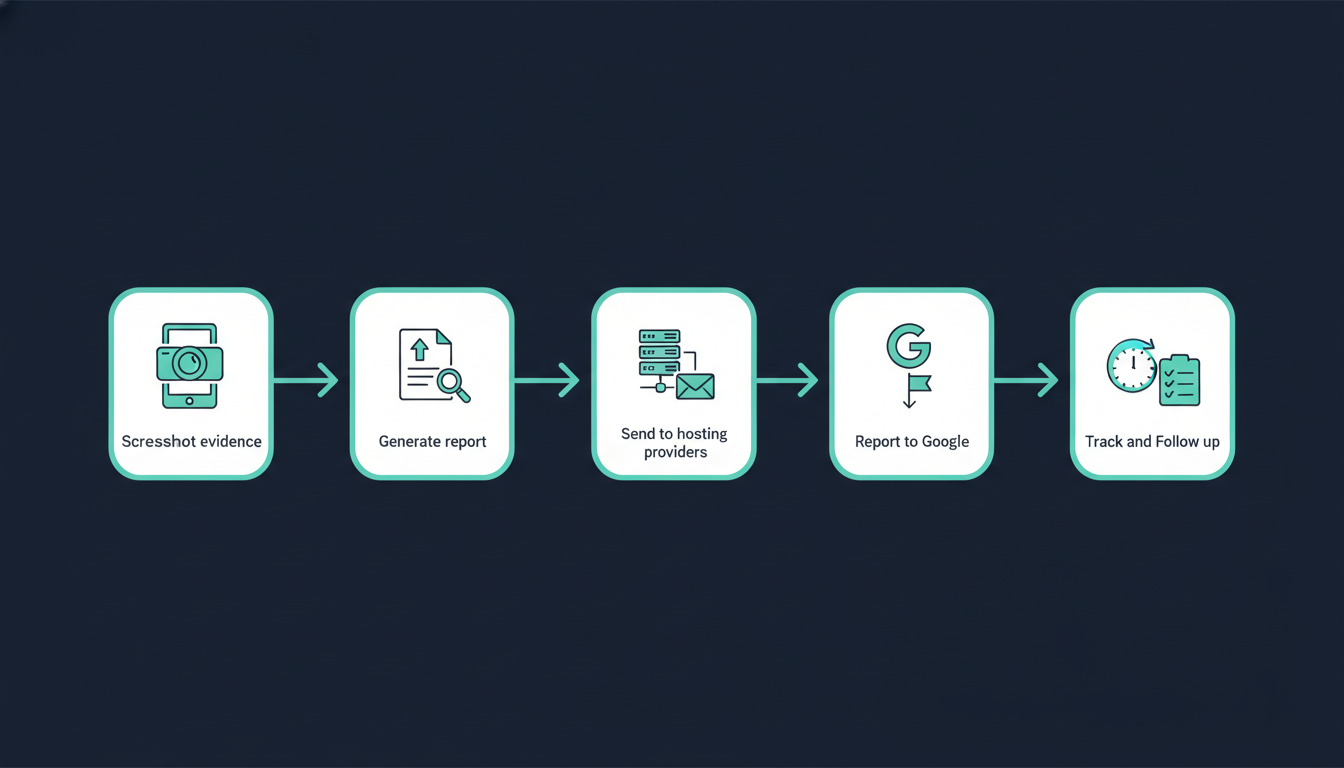
- Screenshot everything — URL, page/channel, member count, file details, date
- Generate a DMCA report — Use your scan results as the foundation
- Send to hosting providers — File DMCA with the site's hosting provider or platform
- Report to Google — Submit a DMCA removal request to remove piracy from search results
- Track and follow up — Most providers respond within 24-72 hours
Expected DMCA response times:
| Platform | Response Time | Success Rate |
|---|---|---|
| Google (search removal) | 3-7 days | Very high |
| Mega / Google Drive | 24-48 hours | High |
| MediaFire | 48-72 hours | High |
| Telegram | 3-7 days | Moderate |
| Torrent sites | Rarely responds | Low (use Google removal instead) |
For a detailed Thinkific-specific DMCA walkthrough, see our DMCA Takedowns for Thinkific Course Piracy guide. For the general process across all platforms, see our complete DMCA takedown guide for course creators.
Thinkific-Specific Detection Tips
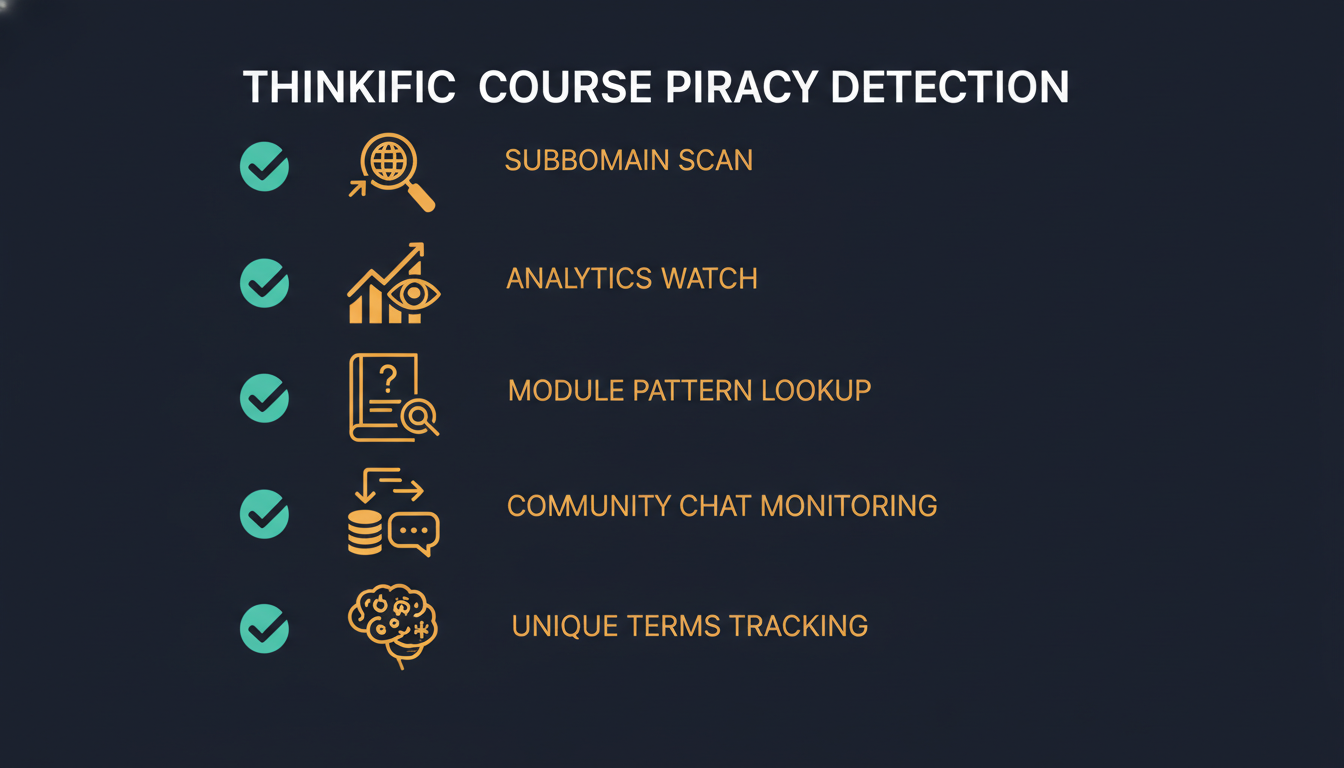
Beyond the general search methods, these Thinkific-specific techniques can help:
- Search for your Thinkific subdomain — If you use
yourschool.thinkific.com, Google that subdomain with piracy-related terms. Pirates sometimes reference the school URL directly. - Check your Thinkific analytics — Unusual login patterns (multiple IPs, different countries in quick succession) may indicate credential sharing — a precursor to piracy.
- Search by module names — Pirates sometimes share individual modules rather than the full course. Search for specific lesson titles, especially your most popular or flagship content.
- Monitor refund patterns — A spike in refund requests shortly after purchase, especially from new accounts, could indicate "buy, rip, refund" piracy.
- Check community mentions — If you have a Thinkific community or active social media, watch for people discussing "alternative access" or "shared accounts."
- Search for your unique terminology — If your course uses distinctive phrases or branded frameworks, search for those terms on piracy sites. This catches piracy even when your course title isn't mentioned.
FAQ
How do I know if my Thinkific course has been pirated?
Search for your course title on Google with operators like "free download" or "torrent", check Telegram's global search, and search torrent indexers. The fastest method is running a free automated scan that checks 50+ sources in 60 seconds. From our data, if your course is priced above $100 and has more than roughly 200 enrollments, in our experience there's a meaningful chance pirated copies exist — especially if your course has been live for more than 3 months.
Does Thinkific's content protection prevent piracy?
No. Thinkific's content protection settings like disabling right-click and text selection are easily bypassed with browser developer tools (F12). The platform has no DRM, no video encryption, and no piracy monitoring features. We've documented the full breakdown of what these settings actually do (and don't do) in our Thinkific piracy protection guide. These settings deter casual copying but won't stop a determined pirate.
Where do pirates most commonly share Thinkific courses?
Telegram groups account for roughly 35-40% of Thinkific piracy we detect, followed by file-sharing platforms like Mega and Google Drive at 25-30%, torrent sites at 15-20% (often bundled with courses from other platforms into "mega packs"), and forums/course dump sites at 10-15%. Compared to Kajabi and Teachable, Thinkific courses see a slightly higher share of file-sharing piracy because Thinkific courses tend to include more downloadable materials.
Are Thinkific courses pirated as often as Teachable or Kajabi courses?
Thinkific courses face moderate piracy risk — lower than Teachable or Kajabi due to generally lower average price points. Pirates are selective: they target courses that are popular, well-marketed, or priced above $100. However, "lower risk" doesn't mean "no risk." We've seen Thinkific courses with 500+ enrollments appear on multiple Telegram channels and torrent sites. The bundling pattern also means your course might be swept up into a torrent pack even if it wasn't specifically targeted.
Is it worth doing DMCA takedowns for pirated Thinkific courses?
Yes. Most hosting providers remove pirated content within 24-72 hours of receiving a DMCA notice. File-sharing platforms like Mega and Google Drive have especially high compliance rates. You can also report piracy to Google to remove it from search results, cutting off discovery for potential downloaders. Even partial takedowns reduce piracy reach significantly — every removed link is potential revenue recovered.
Can Google Alerts detect Thinkific course piracy?
Only partially. Google Alerts monitors Google search results, which catches piracy on indexed websites and forums. However, most Thinkific piracy happens on Telegram and torrent sites that Google doesn't index. In our analysis, Google Alerts catches roughly 15-20% of piracy — it's a useful free layer, but shouldn't be your only detection method. Combine it with Telegram searches and automated scanning for comprehensive coverage.
Related Reading
- Thinkific Piracy Protection Guide — Full protection system: detect, take down, and monitor
- Thinkific DMCA Takedown Guide — Templates and instructions for Thinkific DMCA
- Course Piracy Statistics 2026 — Data on piracy rates by platform and price point
- Telegram DMCA Takedown Guide — Telegram is the #1 piracy channel for courses
- How to Protect Your Online Course from Piracy — Complete protection workflow for all platforms
- Is Your Kajabi Course Being Pirated? — Detection guide for Kajabi creators
Written by
CoursePiracy Team
Digital content protection specialists helping course creators detect and take down pirated copies of their work.
Related Reading
Teachable Course Piracy: Complete Protection System [Scan + DMCA + Monitor]
The complete anti-piracy system for Teachable creators: free scanning, DMCA takedown templates, security hardening, and automated monitoring that catches re-uploads.
March 7, 2026
Is Your Kajabi Course Being Pirated? Check Free in 60 Seconds
Kajabi's Cloudflare protection doesn't stop download-and-reshare piracy. Scan free across Telegram, torrents, and 50+ piracy sources instantly.
March 6, 2026
Gumroad Piracy Protection: Find & Remove Pirated Products [Free Scan]
Gumroad has zero built-in piracy protection. Check if your products are being shared on Telegram or torrent sites — free scan + DMCA takedown templates.
March 5, 2026
Harvel Reviews — What Reddit & Real Users Say [2026]
We analyzed every Harvel review on AppSumo, Reddit, and creator forums. The honest verdict on pricing, detection accuracy, and the blind spots nobody mentions.
March 5, 2026